Receitório makes running a home bakery easier. You enter recipes, organize ingredients, record sales and understand your costs, without putting the production day on hold to do it.
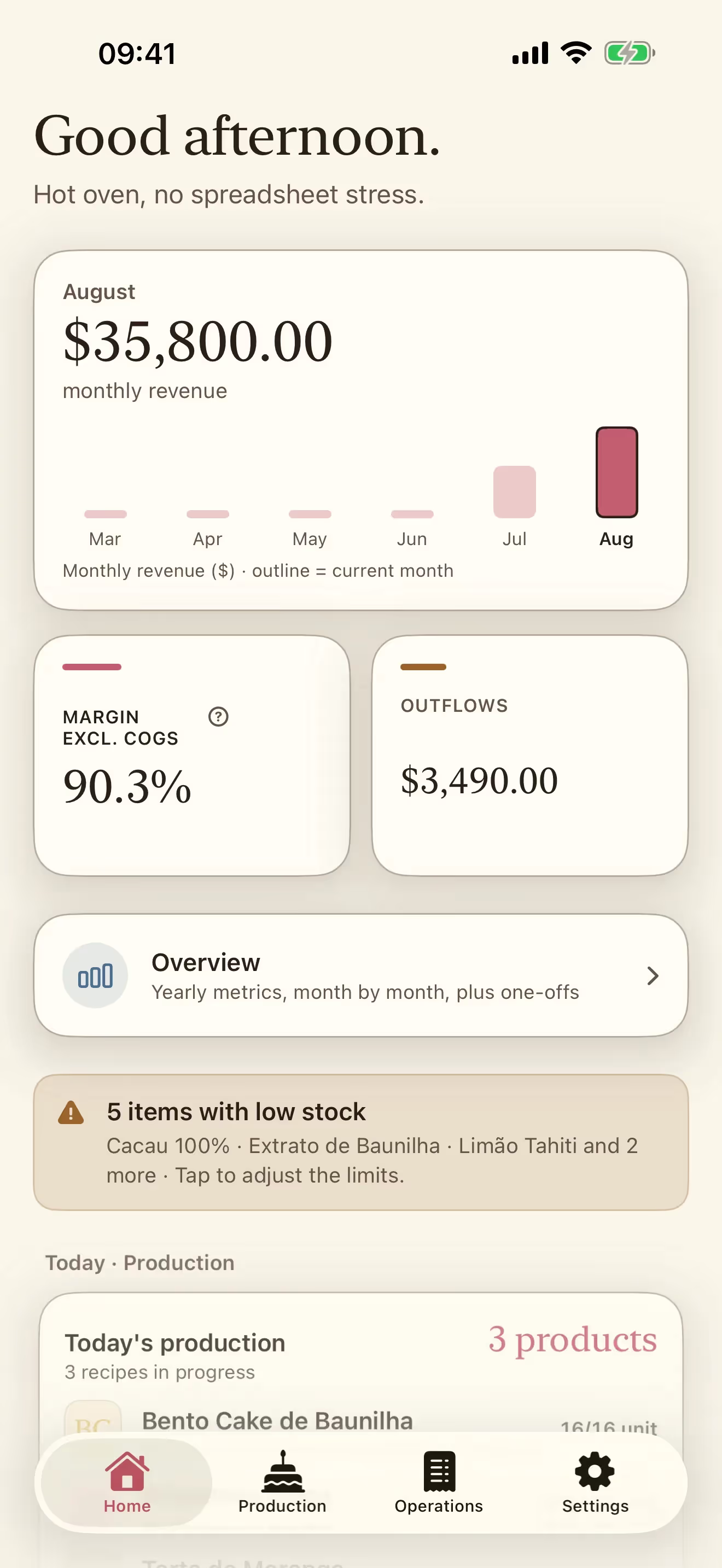
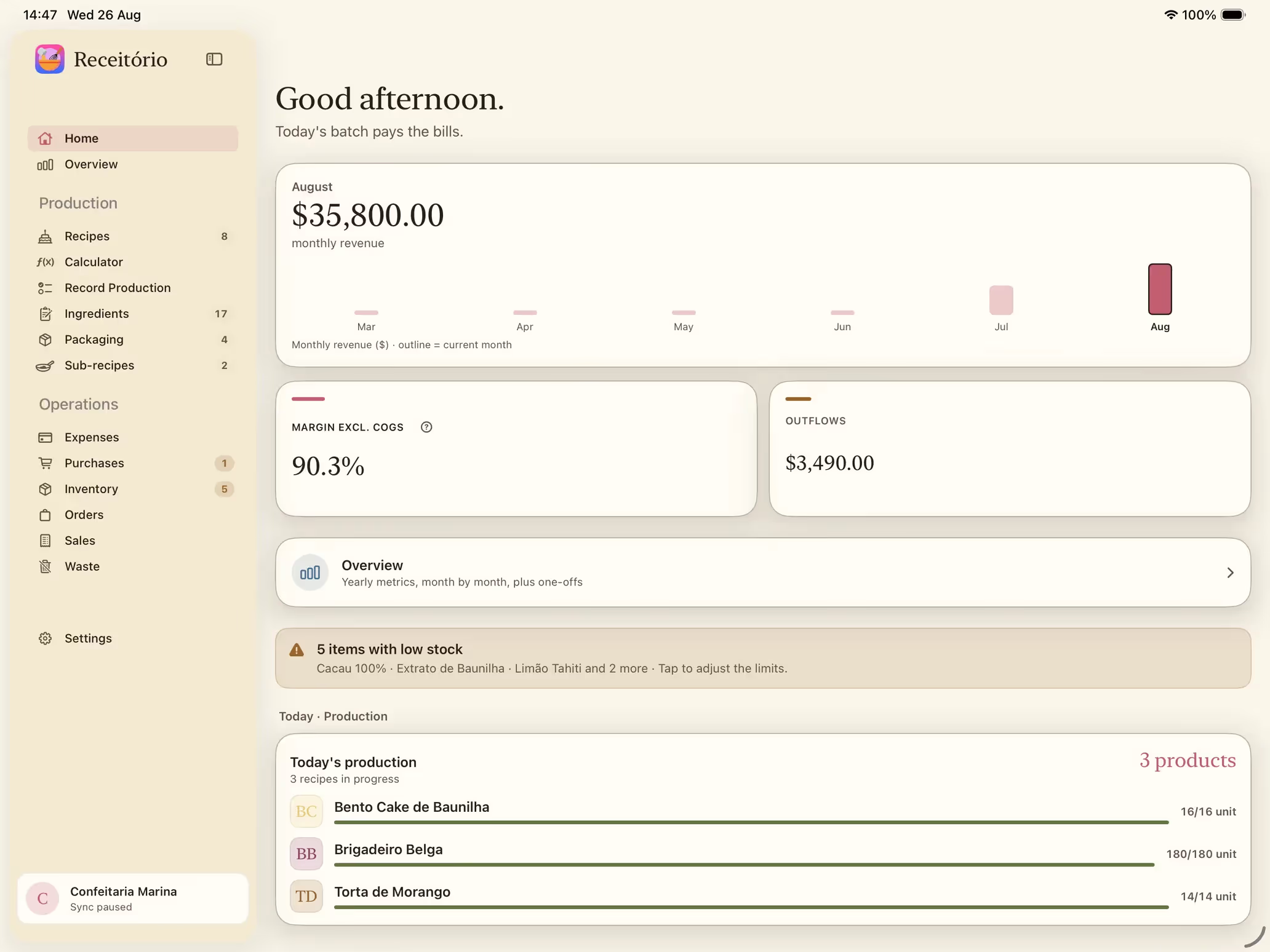
Revenue for the month up front, with your margin and your outflows on the same card. Below it: a shortcut into Overview, today's production in progress, and the sales you recorded most recently.
Revenue for the month, with a plain month-by-month chart.
Margin and outflows beside the month's revenue.
A shortcut into Overview, with the numbers for the year.
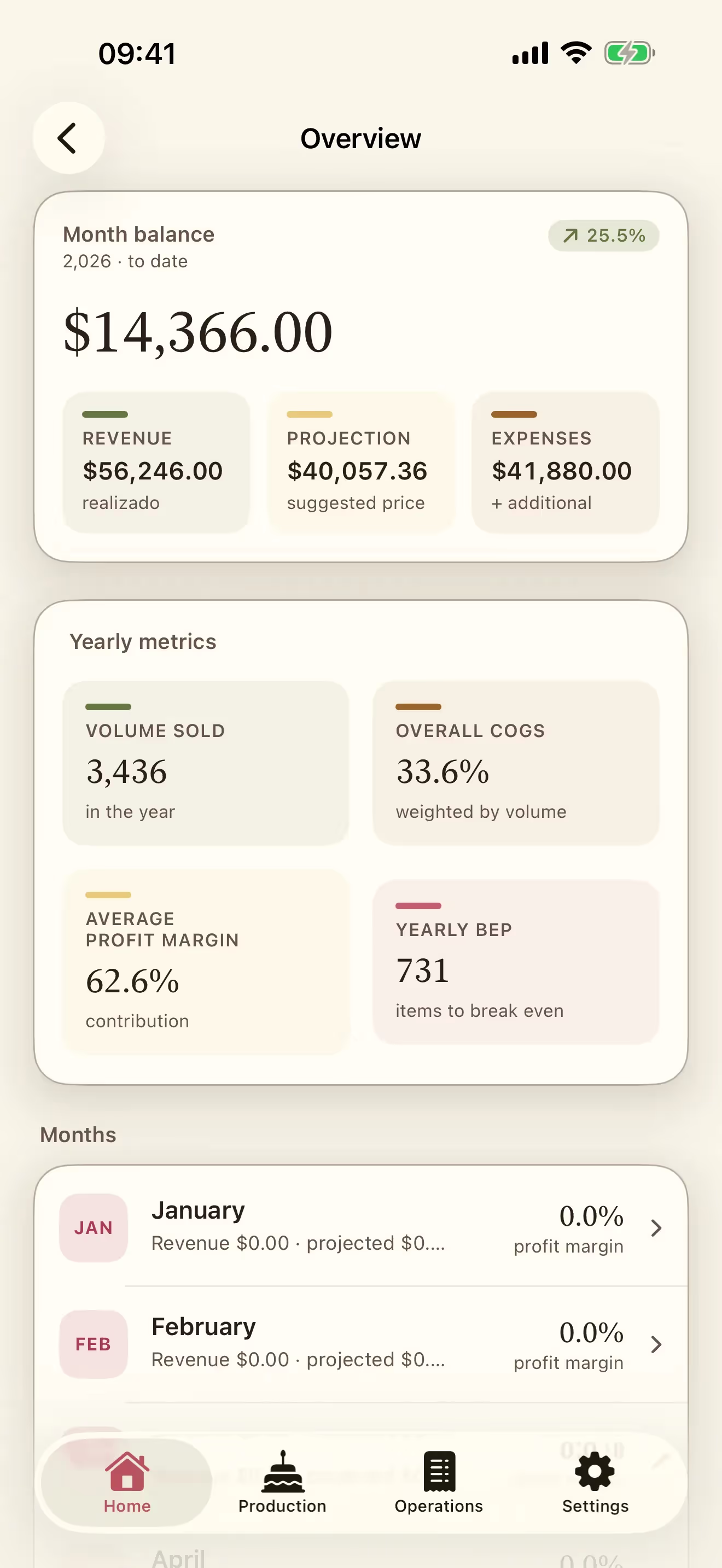
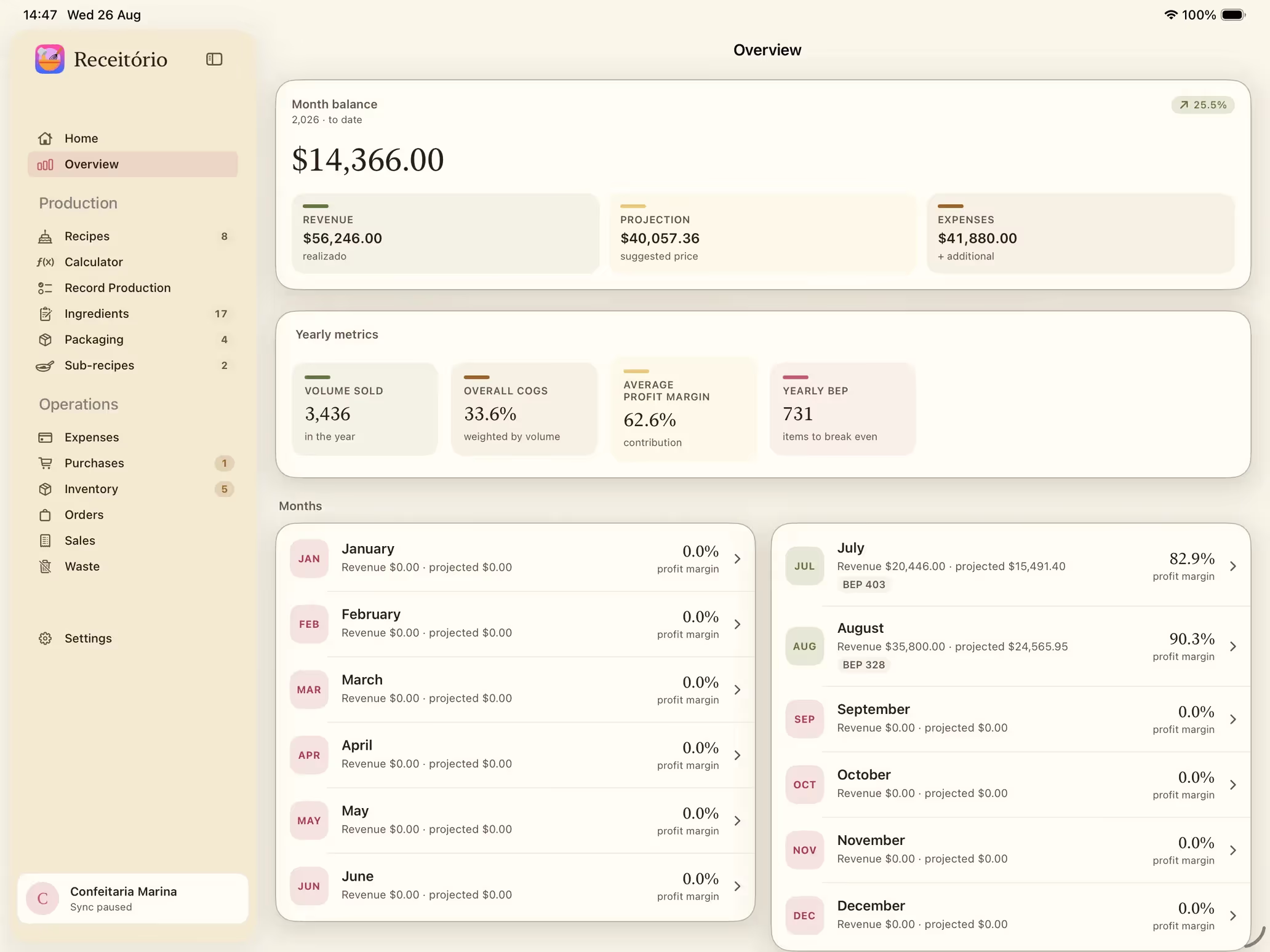
Balance for the month, revenue actually recorded, the projection at your suggested prices, and expenses. Then the yearly figures: units sold, overall food cost %, average margin and your break-even point.
Balance for the month, with the change against earlier periods.
The projection at your suggested price, next to what you actually sold.
Yearly figures: volume, food cost %, average margin and break-even.
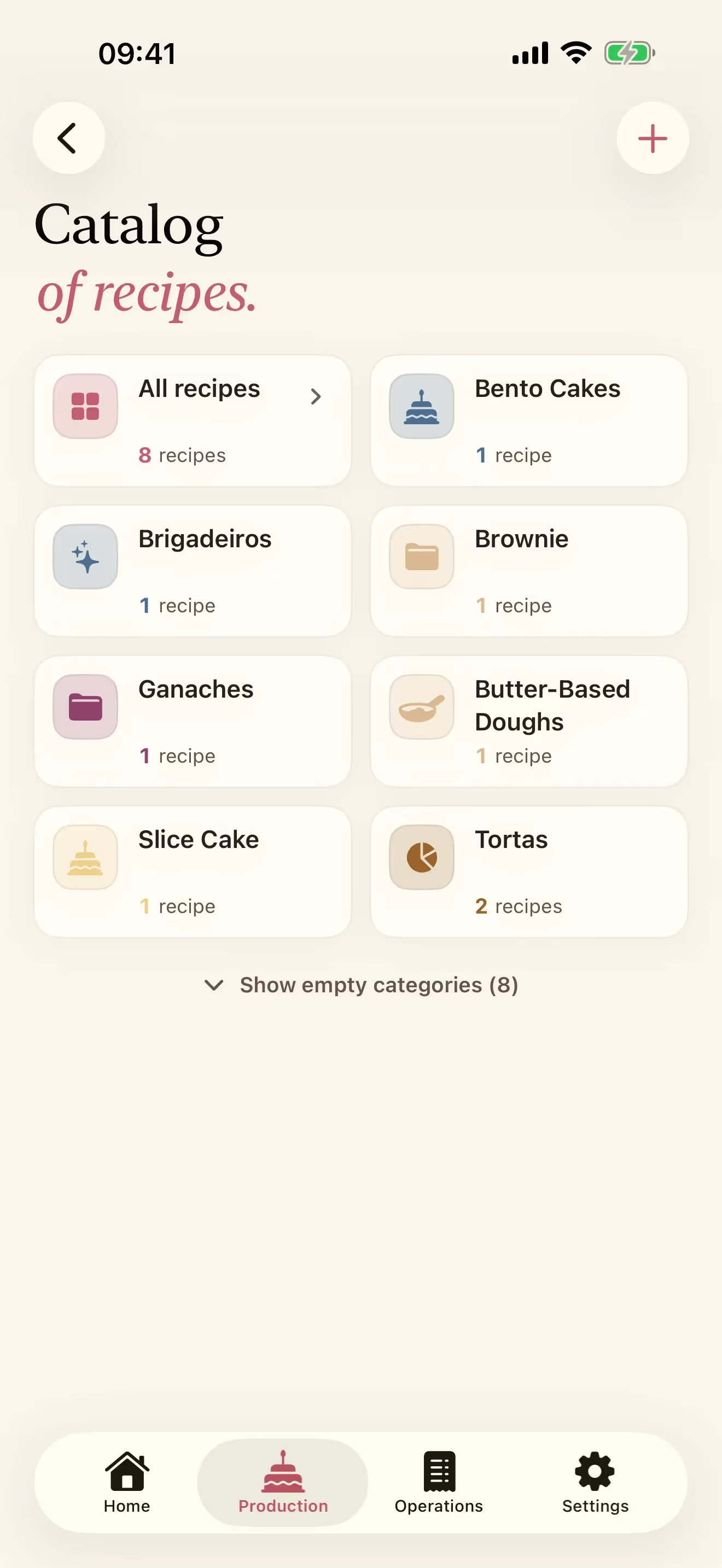
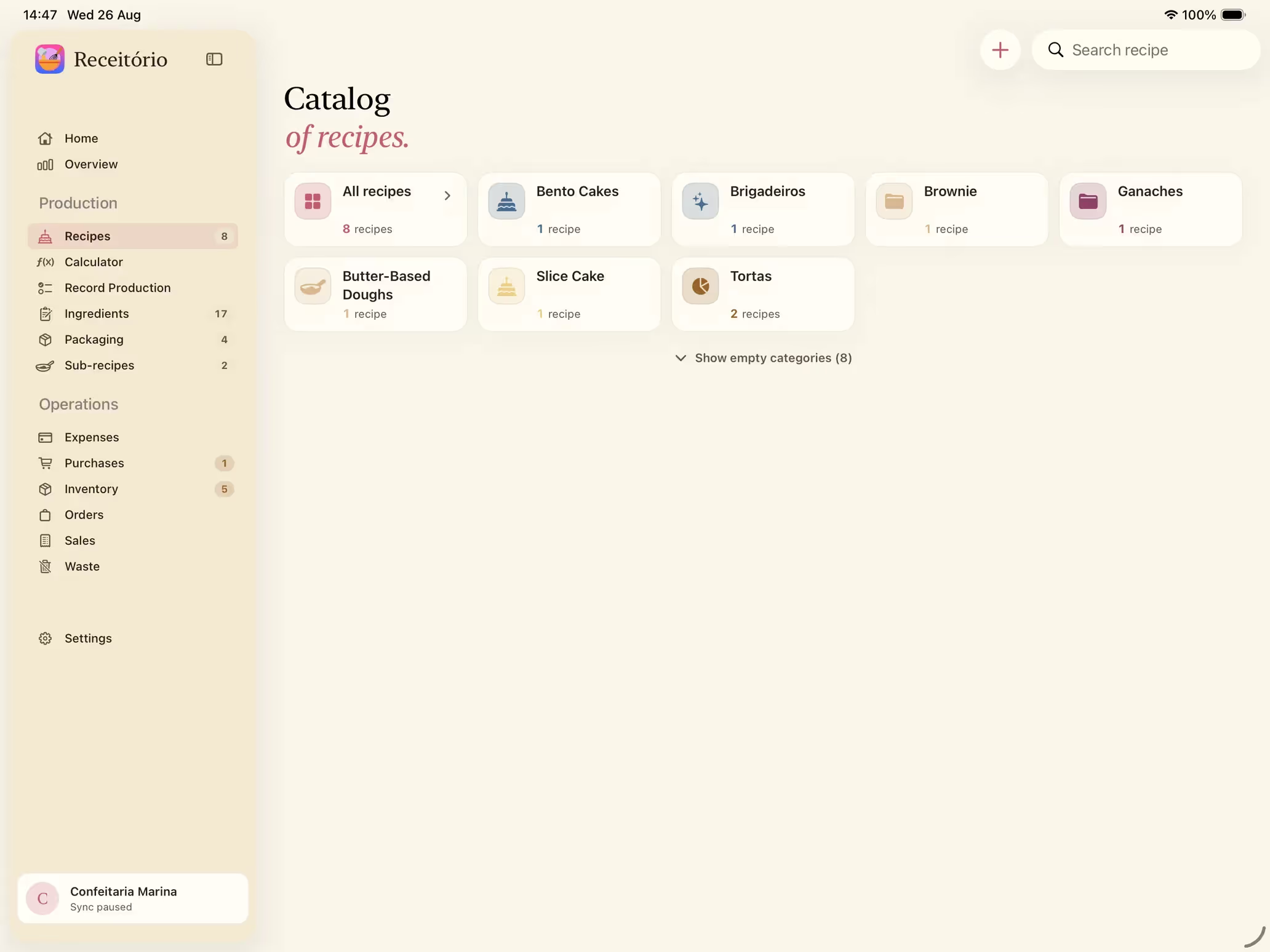
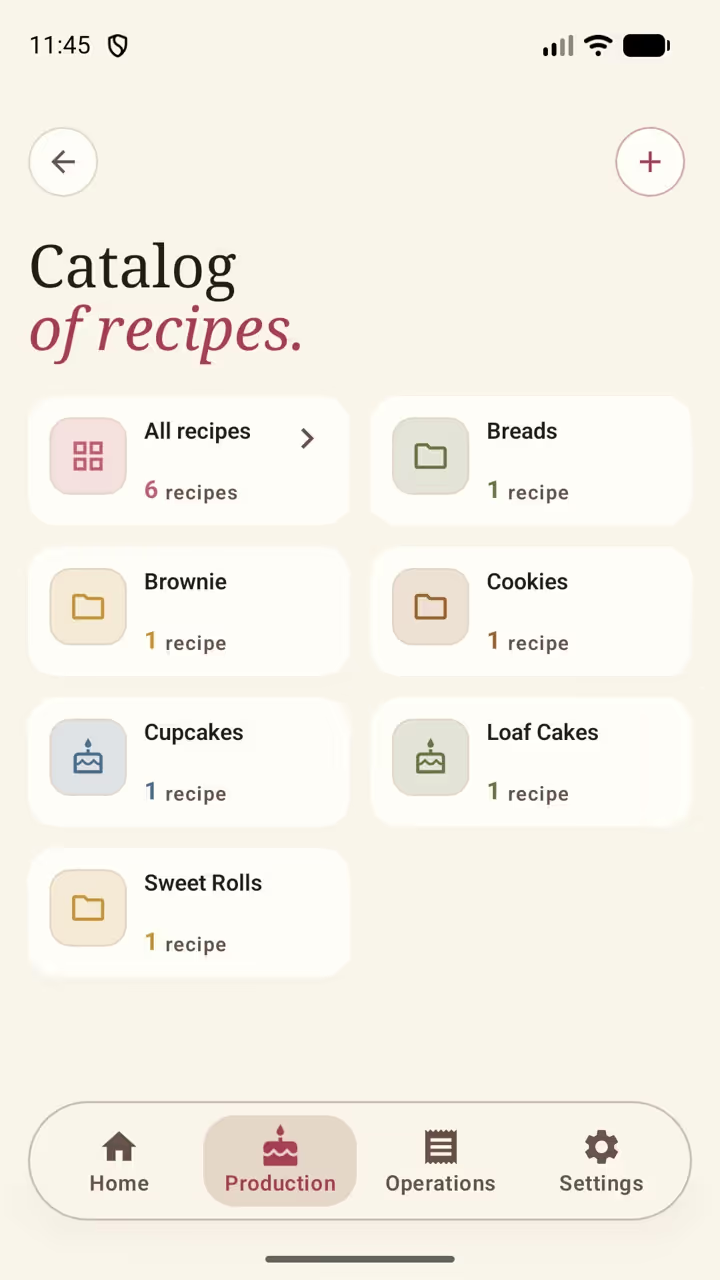
Recipes sit in colored categories you define yourself: cookies, cupcakes, brownies, ganaches, doughs, fillings, whatever your menu actually looks like.
Categories with icons and colors, recognizable at a glance.
A recipe count on each group.
New categories as the menu grows.
An “All recipes” shortcut when you want the whole list.
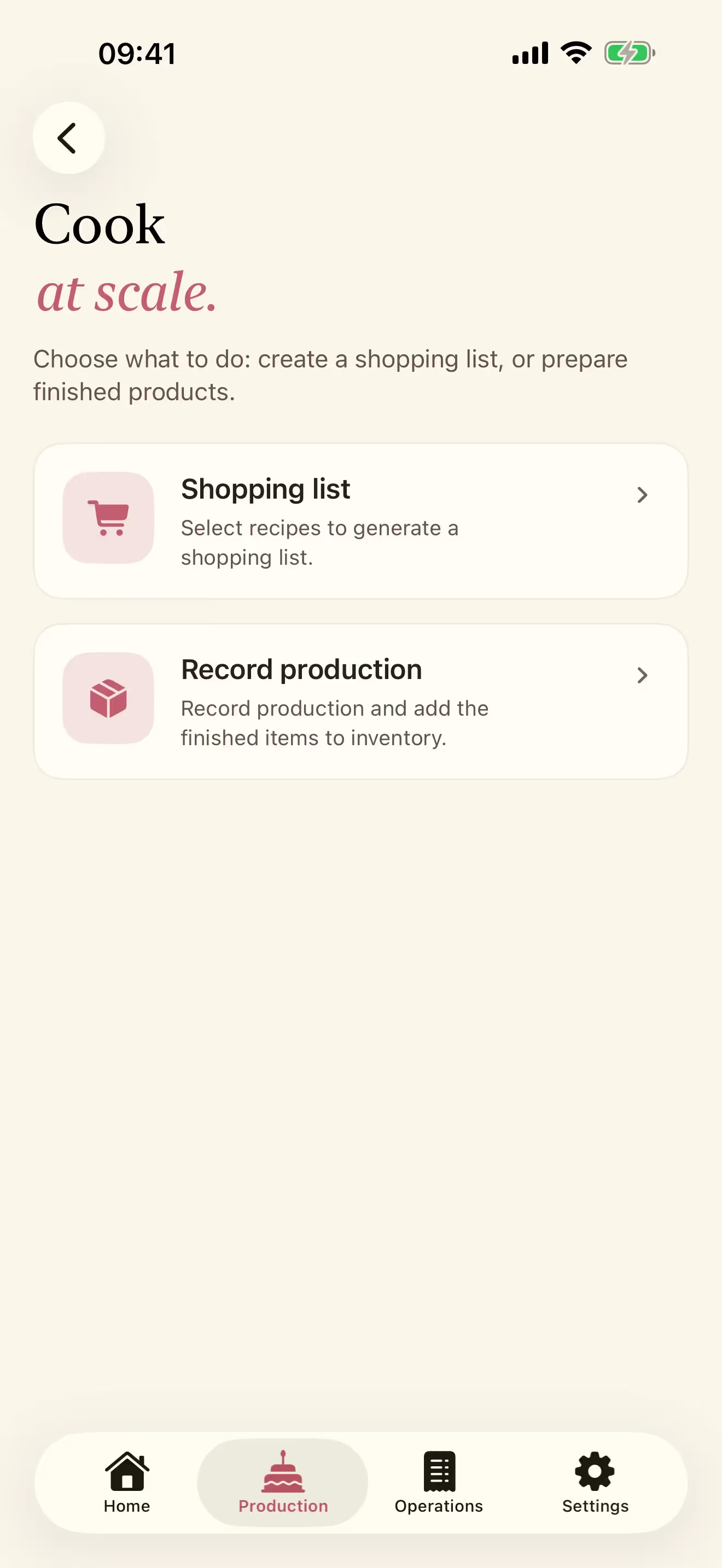
Select several recipes and choose: generate a shopping list of the ingredients you are missing, or prepare them and add the result to your finished-product inventory. Prep and inventory stay in sync.
Two paths: a shopping list, or prepared products straight into inventory.
Multi-select by category, so you can scale a whole day's baking.
Works out the exact quantity of each ingredient from the yield.
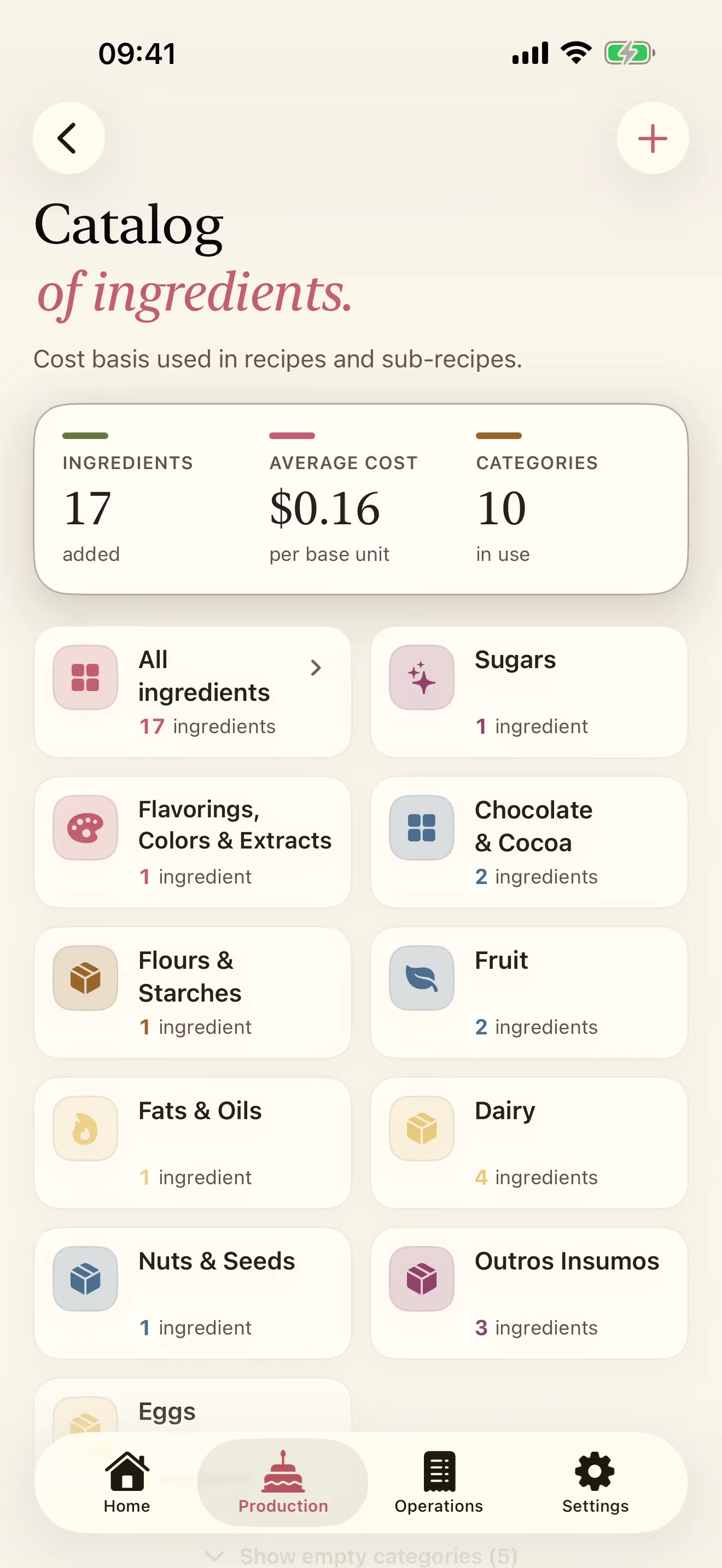
This is the cost base every recipe reads from. Sugars, flours, chocolates, flavorings, fruit, dairy: each one with its cost per base unit, easy to update whenever a price changes.
How many ingredients you have, and the average cost per base unit.
Short categories: sugars, flavorings, chocolates, dairy, and so on.
Cost per base unit, so recipes cost themselves.
Change one ingredient price and every recipe that uses it updates automatically.
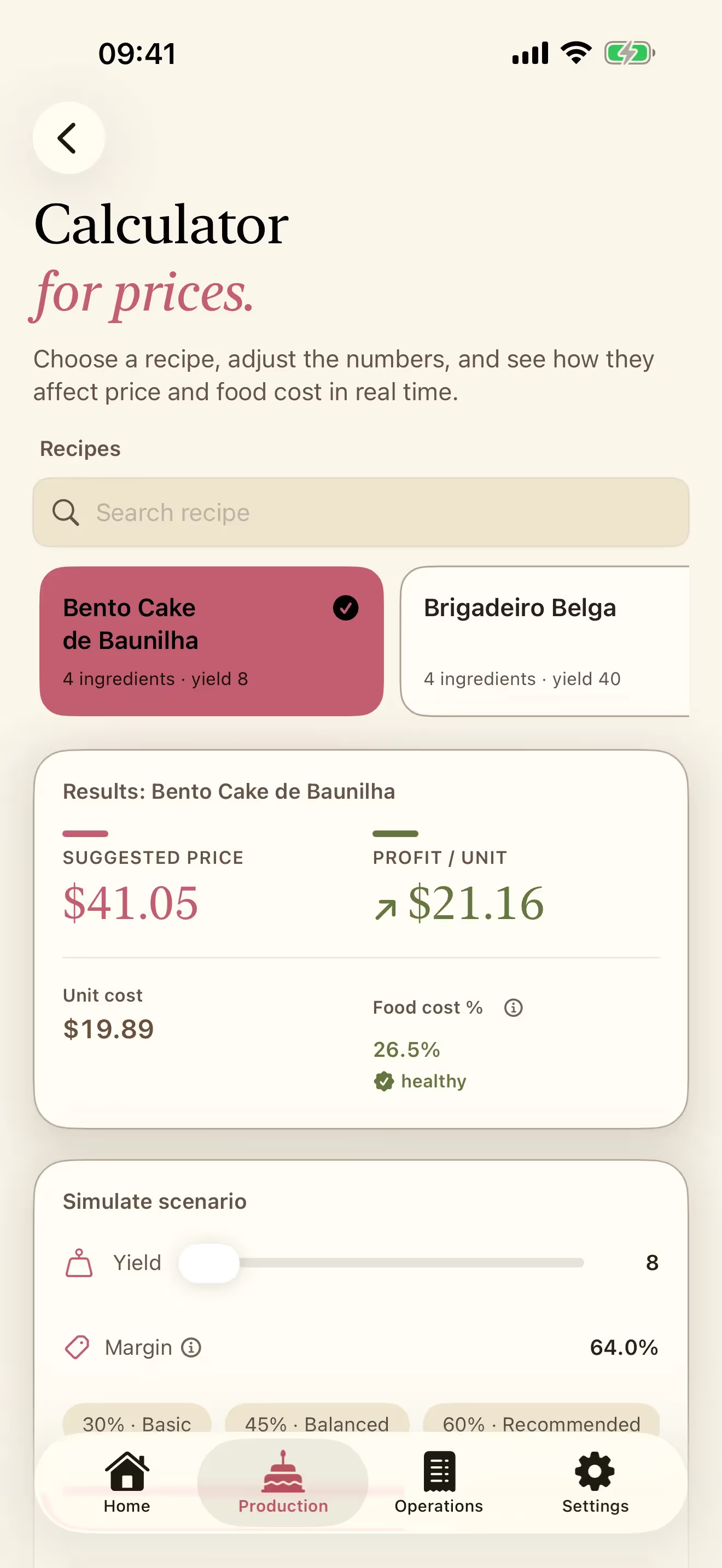
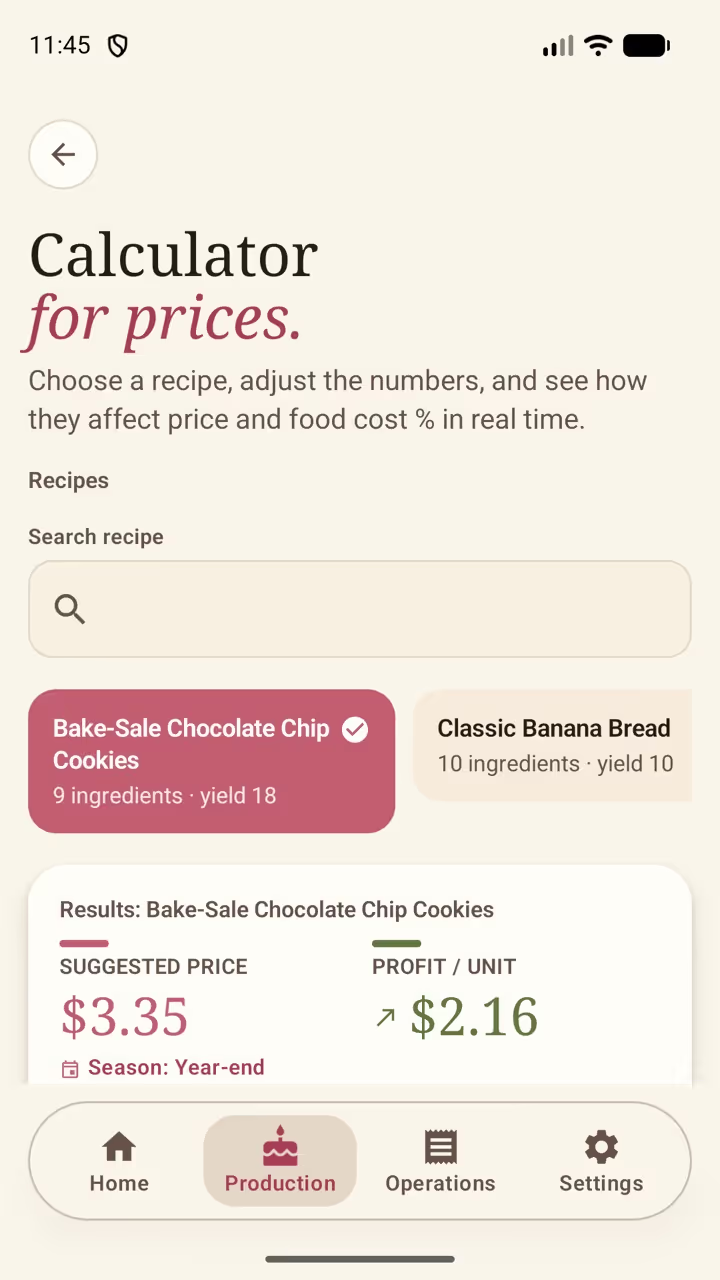
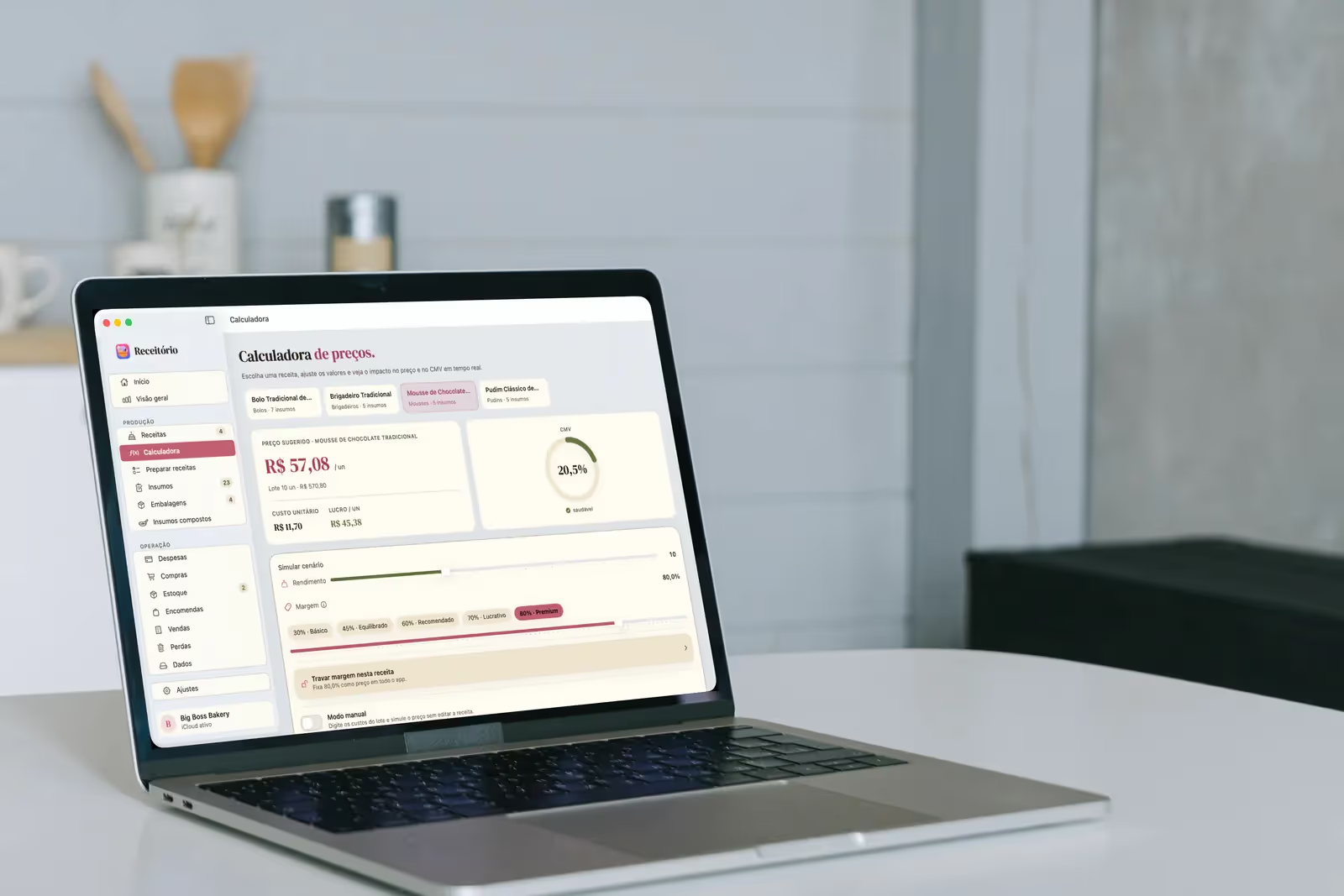
Pick a recipe and pull the sliders. Yield, margin and costs move, and the suggested price, the profit per unit and the food cost % follow in real time. See how every change affects your selling price before you commit.
Suggested price and profit per unit, side by side.
Unit cost and food cost %, with a healthy / attention / high band.
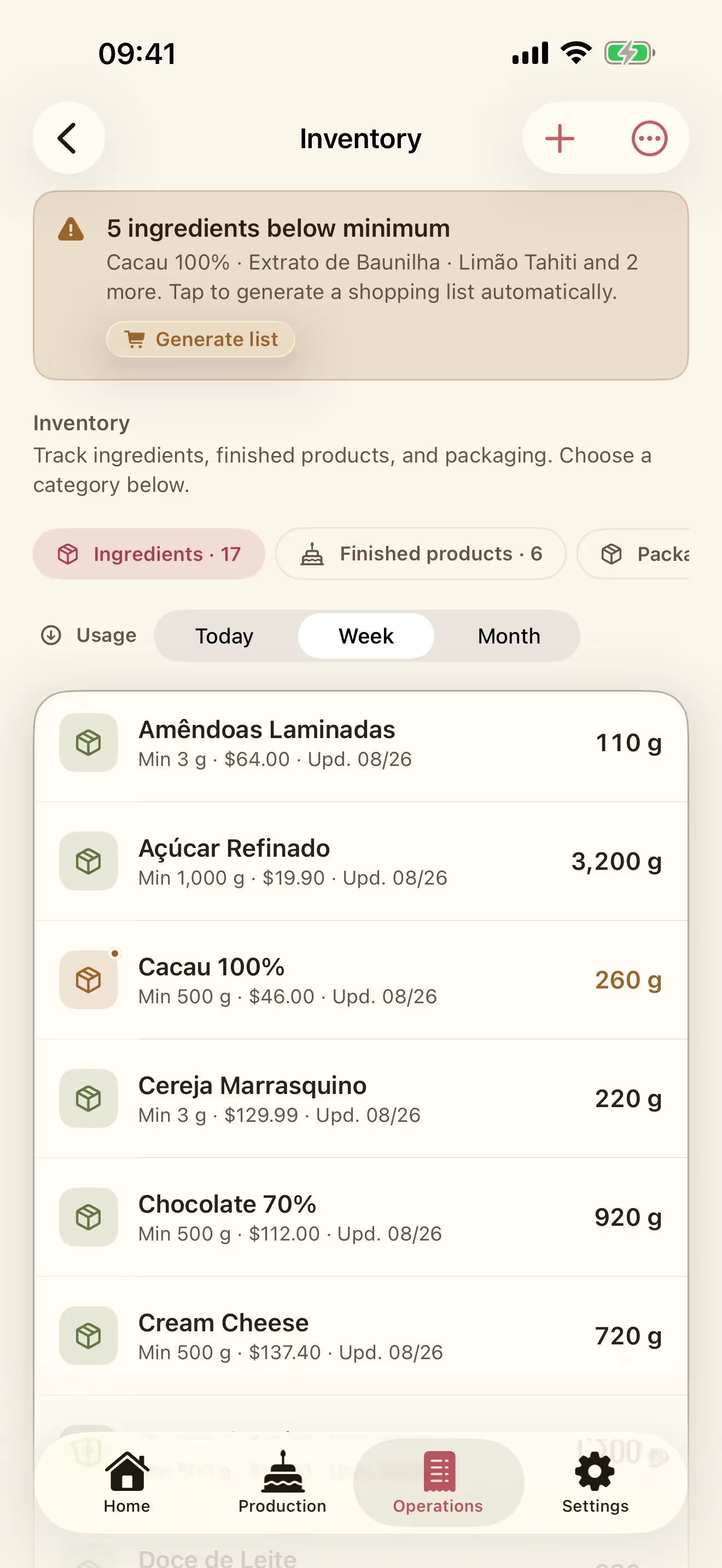
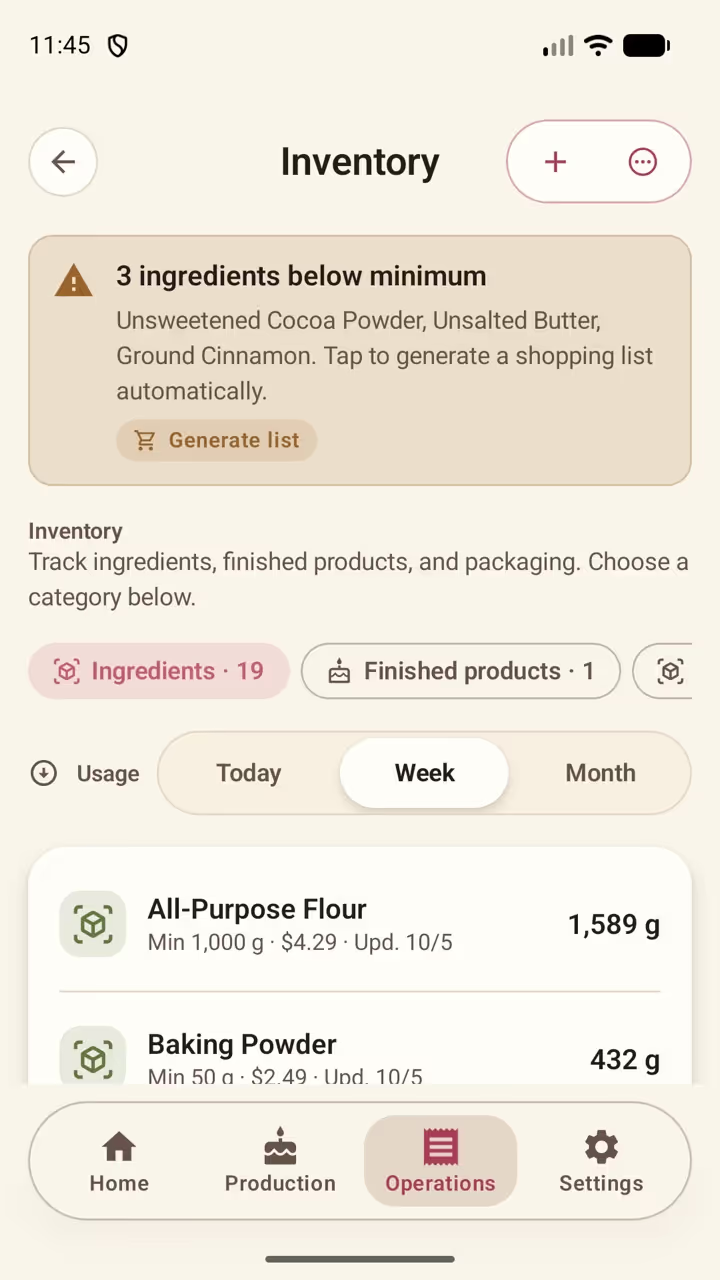
Ingredient inventory and finished-product inventory in one place, each with the value it represents. Set a minimum on the items you never want to run out of, and get an alert whenever one drops below it.
Ingredients and finished products, each with their own value.
Low-stock alerts on the items you set a minimum for.
Preparing a recipe takes its ingredients out for you.
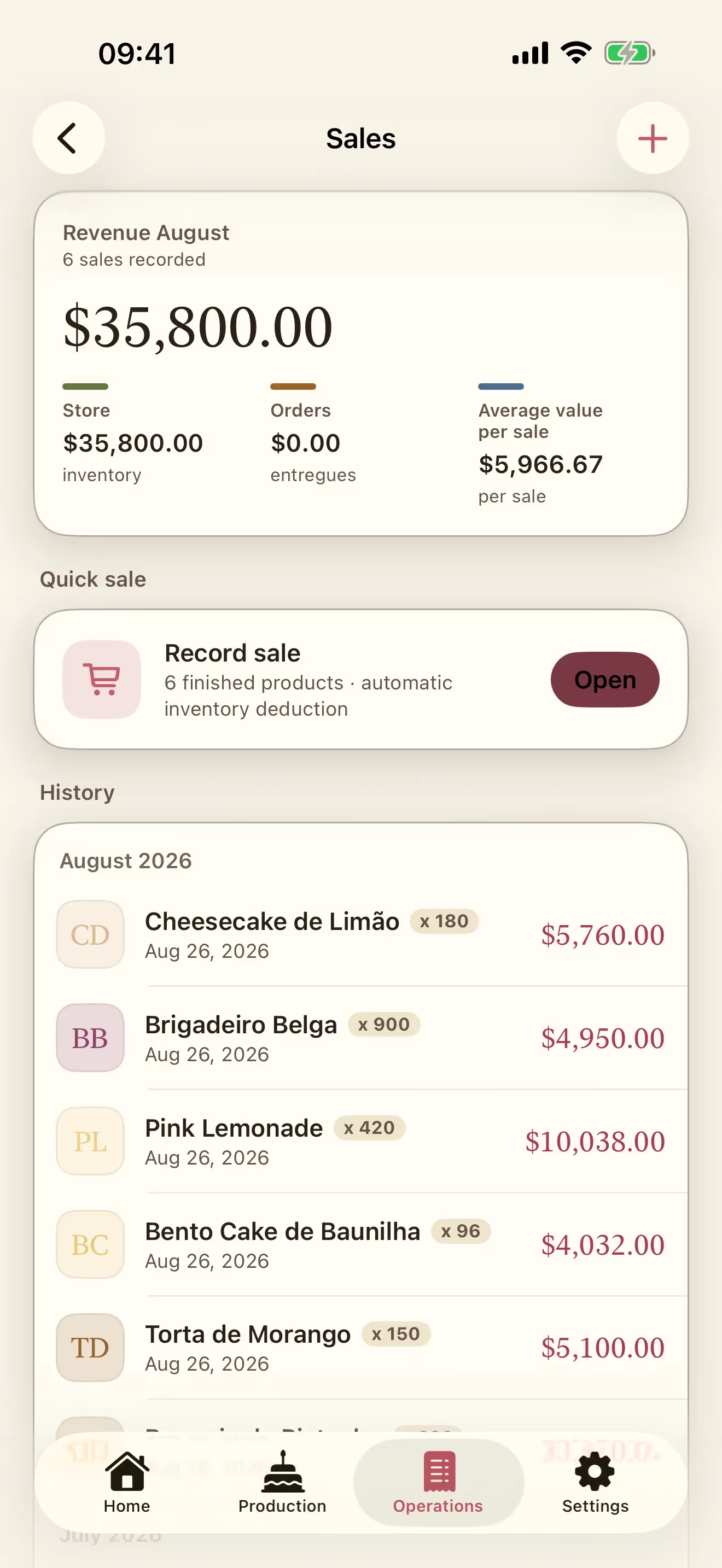
Record a sale in a few taps and the finished product leaves inventory on its own. Revenue for the month, number of sales and average sale value sit at the top, with the history underneath.
Quick sale from your finished products, with automatic inventory deduction.
Revenue for the month and average value per sale.
History by month, with units and unit price on every line.
The iPad version puts everything in a sidebar with your bakery's name and its sync status, built for going over costs and reviewing recipes with the whole screen beside you.
On Android
New
The same notebook, on Android.
Receitório is on Google Play. Recipes, ingredients, packaging and the price calculator are free to use from the first download. Inventory, shopping, sales and expenses come with Operations, which you can buy here on the site or on Google Play, with the same account either way. Backing up to your Google Drive is optional.
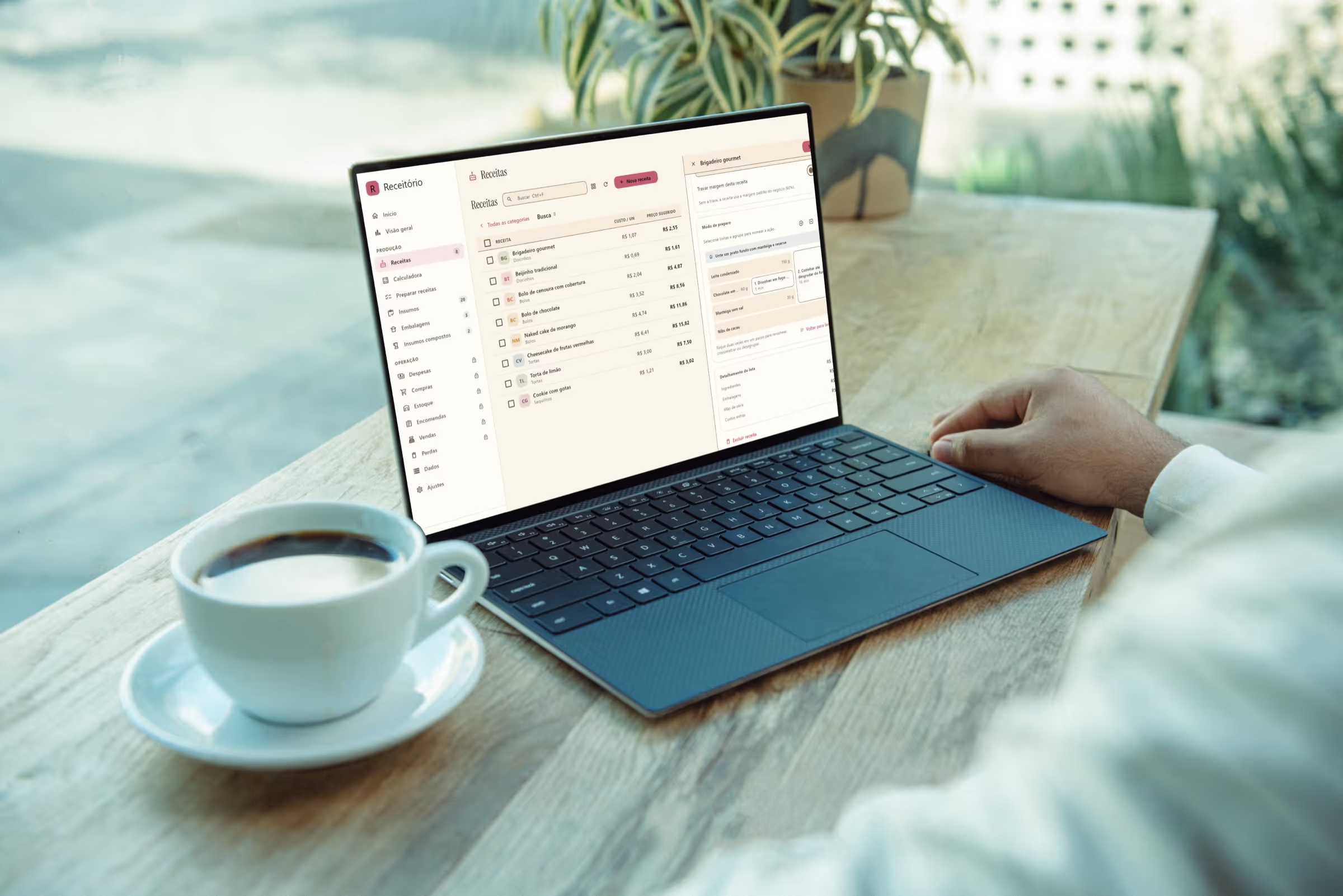
On Windows
New
The same bakery, on your PC.
The Windows version is on the Microsoft Store and the download is free: recipes, ingredients, packaging and the price calculator are all unlocked. When you want inventory, purchases, sales and expenses, unlock Operations here on the site and sign in to the app with the same account.
On Mac
Available
The whole bakery on the big screen.
The same Operations in a Mac window, with the full bakery sidebar: recipes, ingredients, purchases, inventory, sales and waste always within reach. The Mac version is on the App Store, and one subscription covers iPhone, iPad and Mac.
Where Receitório runs
Android, Windows, iPhone, iPad and Mac.
It started on iPhone and now runs on iPad, Mac, Windows and Android too. On Apple devices, one subscription covers every device on the same Apple Account. On Windows and Android, you can buy here on the site and sign in to the app with the same account.
We use Google Tag Manager for analytics, on the basis of legitimate interest. Analytics is on, and you can turn it off at any time; everything else stays off.
We would like to use Google Tag Manager for analytics. It stays off unless you allow it; everything else stays off.